

Related products

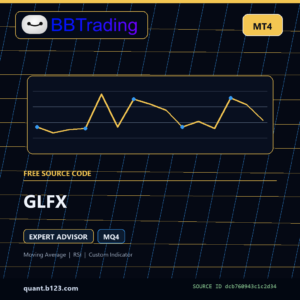 GLFX
GLFX
$0.00
Join Telegram
$0.00
Feel free to Get in touch
Claim this free MQL source through your B123 account
Create an account or sign in first. After registration, you will return to this source page to add the zero-total claim and complete checkout.
Need a ready-to-use alternative?
Compare BBTrading products selected from this source page metadata. Use them when you want setup notes, private delivery, or backtest evidence where available instead of editing source code yourself.
Comparison options only; this is not a claim that the products use identical logic.
GLFX is a MetaTrader 4 Expert Advisor source file. Static analysis documents Moving Average, RSI, Custom Indicator, 192 exposed input declarations, and 0 include dependencies.
Source-code analysis only. No backtest or live-performance claim is provided.
OnInit, init, deinit, start| Parameter | Type | Default | Code comment |
|---|---|---|---|
COM_TMT |
string | "#-# Trade Settings" |
|
TMT_MaxCntTrades_1account |
int | 5 |
allow this amount of open trade at the same account and within all EAs |
TMT_MaxCntTrades_1EA |
int | 1 |
allow this amount of open trade at the same time and in the same EA |
TMT_MaxInDirection |
int | 1 |
allow this amount of open trade at the same direction and in the same EA |
TMT_TimeShiftOrder |
int | 0 |
amount of seconds must pass to allow opening a new trade after a last open trade, active when TMT_MaxCntTrades_1EA>1 |
TMT_SignalsRepeat |
int | 1 |
to open new trade, wait for confirmation repeated TMT_SignalsRepeat *times |
TMT_SignalsReset |
bool | true |
if true, open only in case of a explicit consequence signals without interrupt |
TMT_Currency |
string | "EURUSD" |
Currency pair to be traded |
TMT_Period |
string | "M15" |
TimeFrame, use the labels from the MT4 buttons |
TMT_Slippage |
int | 10 |
acceptable slippage |
TMT_TP |
int | 308 |
Take Profit in ticks, it can move higher if EMT_ExitWithTS_On =true; |
TMT_SL |
int | 290 |
Stop Loss in ticks |
TMT_TPfromSL_1On |
bool | false |
count TP from SL as TP=SL+TMT_ADDtoSLforTP |
TMT_ADDtoSLforTP |
int | 18 |
when f.e.=100 then TP=SL+100 |
COM_MMT1 |
string | "***********************************************************************" |
|
COM_MMT2 |
string | "#-# Money Management" |
|
MMT_Lots |
double | 0.1 |
use this LOT size, money management will override setting |
MMT_MinLot |
double | 0.01 |
Set to be micro safe by default |
MMT_MaxLot |
double | 2.0 |
Set to previous max value by default |
MMT_UseMManagement_On |
bool | false |
Money management for lot sizing |
MMT_MaxRisk |
double | 0.05 |
Percentage of FreeMargin for trade |
MMT_DecreaseLots_1On |
bool | false |
use decrease factor , when false then is automaticly set on 100% value |
MMT_DecrLotsPerc |
string | "080050010" |
9 digit number, 3 digits per subsequent loss 080050010= 080% 050% 010% |
COM_MMC1 |
string | "***********************************************************************" |
|
COM_MMC2 |
string | "#-# Money Management- LOT confirmation signals" |
|
MMC_IncreseFactor |
double | 2 |
allows to increase lot size if signals are confirmed, increse calculated LOT size multiplied with this coeficient |
MMC_MA_HF_On |
bool | false |
moving average on a higher frame, follows trend, uses SGE_MA_HF_On settings |
MMC_RSI_HF_On |
bool | false |
RSI on a higher frame, uses SGE_RSI_HF_On settings |
COM_SMT |
string | "#-# Set Management" |
|
SMT_ProveSets |
bool | false |
you will use this function when you are looking for the second set from results of the first optimalization |
SMT_NextSet |
int | 0 |
number of set readed from the file Sets-Symbol-Period.csv |
SMT_SetCount |
int | 0 |
how many sets are within Optim file, if you leave =0 then PC finds alone but it takes more time |
COM_EMS1 |
string | "***********************************************************************" |
|
COM_EMS2 |
string | "#-# Exit Management stategies" |
|
EMT_DecreaseTP_On |
bool | false |
allow to decrease Take Profit value if a counter trend is recognized |
EMT_ExitWithTS_On |
bool | false |
enable static trailing stops |
EMT_RSI_HF_On |
bool | false |
close order if a counter trend is recognized, used SGE_MultiCurr_1MA_On |
EMT_MA_HF_On |
bool | false |
close order if a counter trend is recognized, used SGE_RSI_HF_On |
EMT_CheckMainTrend |
bool | false |
if a trade is going agains trend set trailing stop, using FTE_FolMainTrend_On |
EMT_RecrossClose |
bool | false |
close a profit ticket in case of crossing open price x times |
The downloadable derivative replaces non-runtime external URLs and contact details with the B123 site URL. Functional runtime endpoints remain unchanged to avoid breaking code.
Registration and sign-in are required. WooCommerce grants the private file through a zero-total order. Each account may initially claim 3 distinct free source products per site day.
GLFX is a MetaTrader 4 Expert Advisor source file. Static analysis documents Moving Average, RSI, Custom Indicator, 192 exposed input declarations, and 0 include dependencies.
No. This page is based on static source-code analysis and does not provide a backtest, live result, profit, win-rate, or drawdown claim.
Place the source in the matching MetaTrader folder and compile it in an isolated MetaEditor data folder before use.
Only detected functional runtime endpoints are retained to avoid breaking WebRequest or network behavior. Non-runtime URLs and contact details are replaced with the B123 site URL.
Yes. Registration and sign-in are required. WooCommerce grants the private download through a zero-total order, with an initial limit of 3 distinct free source products per site day.
This free download is useful when you want editable MT4 Expert Advisor source code. If you want a cleaner ready-to-use path, compare it with the paid BBTrading products that already include private delivery, setup notes, and backtest evidence where available.
These products are selected by platform, detected code signals, and available catalog evidence. They are comparison options, not a claim that they use identical logic.
Diagnostic status: compile_not_run. If the file does not compile, has missing dependencies, or behaves differently on your broker, use the page details when contacting B123/BBTrading support. The free source is a starting point; fixed, compiled, or backtested alternatives may save time.
GLFX
$0.00